









Worship interpretation for Korean churches
There's a worship mode built for church
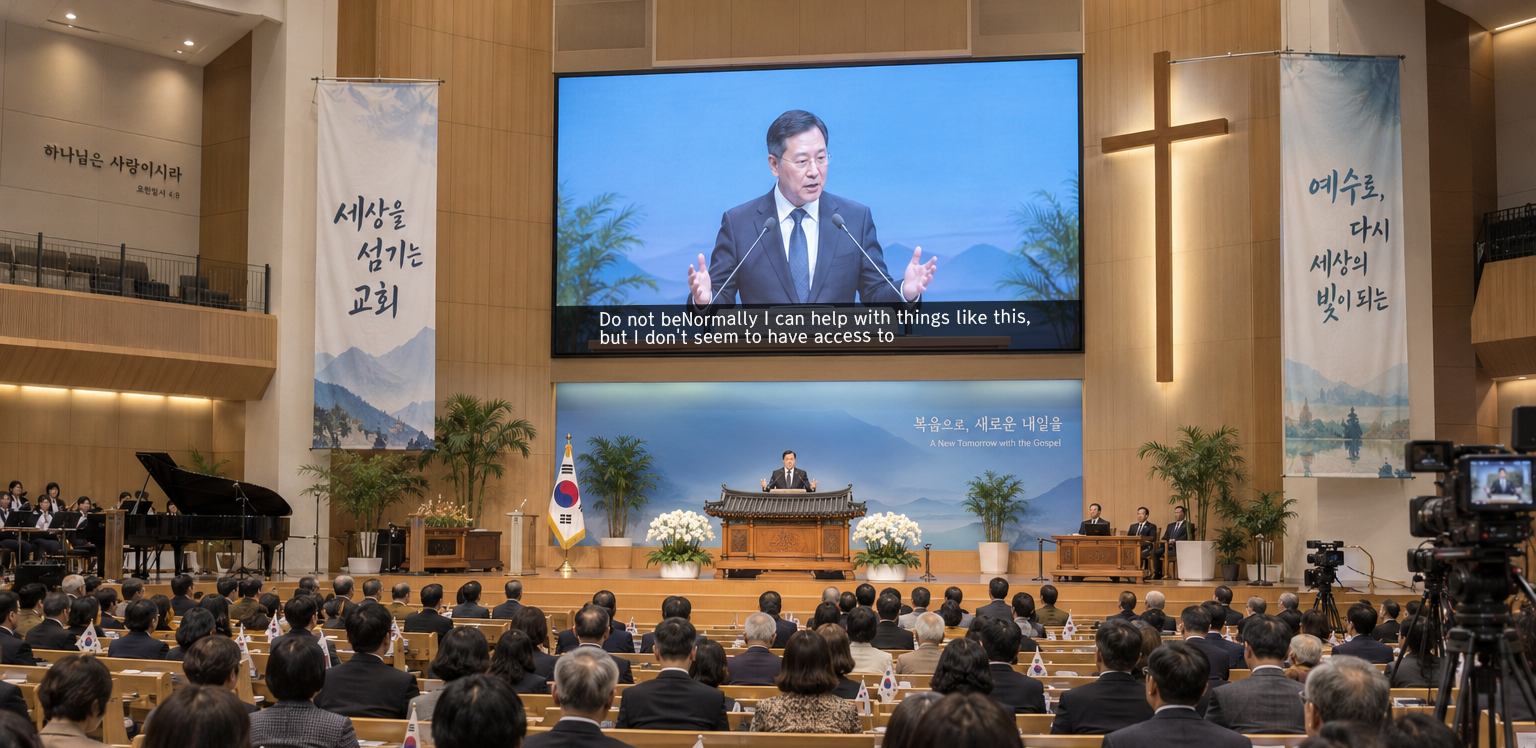
English captions for the Korean sermon; Korean captions for the English one. First generation, second generation, the visitor who just walked in — one sanctuary, one message, each in their own language.
Why a worship mode
An AI interpreter that knows the language of Korean churches
Interpreters built by U.S. companies don't know the words a Korean church uses. 권사, 집사, cell groups — sotonis knows them and gets them right, built by people who know how a Korean church actually worships.
Worship mode
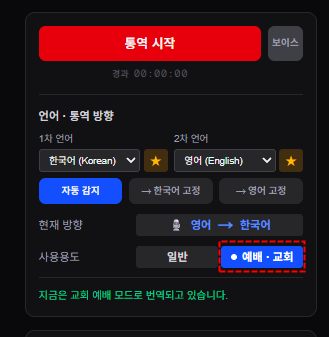
An interpretation mode built for church
Turn on worship mode and the interpretation shapes itself to a Korean service. It understands church vocabulary — 권사, 집사, cell groups — and renders it correctly, and it remembers the names and spellings from this week's sermon to reuse next week. A mode made only for church, which generic captioning tools don't have.
Church vocabulary
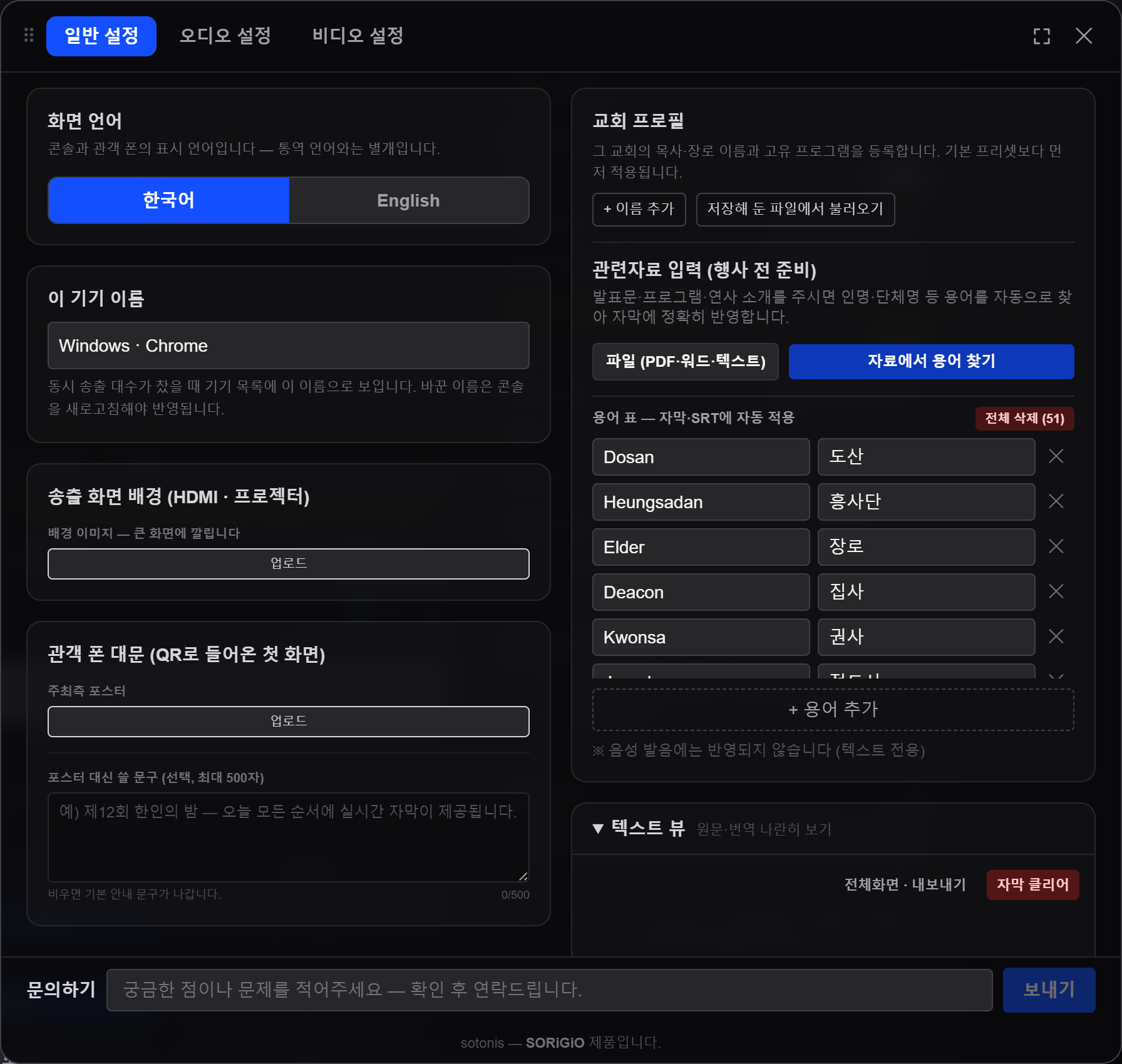
We won't turn 권사 into "Elder"
Deacon, cell group, evangelist, tongsung prayer, dawn prayer — we know the words a Korean service actually uses. It's where generic captioning fails most, and where volunteer interpreters struggle most.
Korean sermon to English, English sermon to Korean — the direction follows on its own (Basic plan and up; on Free and Starter you pick one direction before the service). Second-generation kids, their parents, and guests from other communities all sit in the same service.
Locked terms
Tell us the pastor's name once
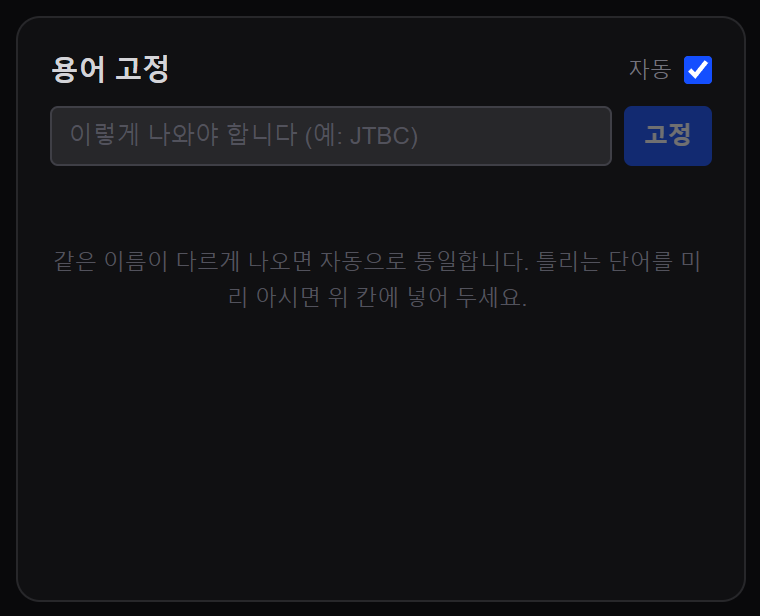
Lock in the pastor's name, biblical names, and ministry names once, and the spelling stays put. Nothing moves interpretation quality more than getting these proper nouns right.
Sermon memory
Last week's sermon makes this week's interpretation better
Turn on worship mode and sermon memory comes with it. It learns the names and spellings from this week's service — the pastor's name, the people and ministries that come up often — and the next time you open the console, they're already locked in. You never teach it from scratch; the more your church uses it, the more the interpretation grows to fit your church.
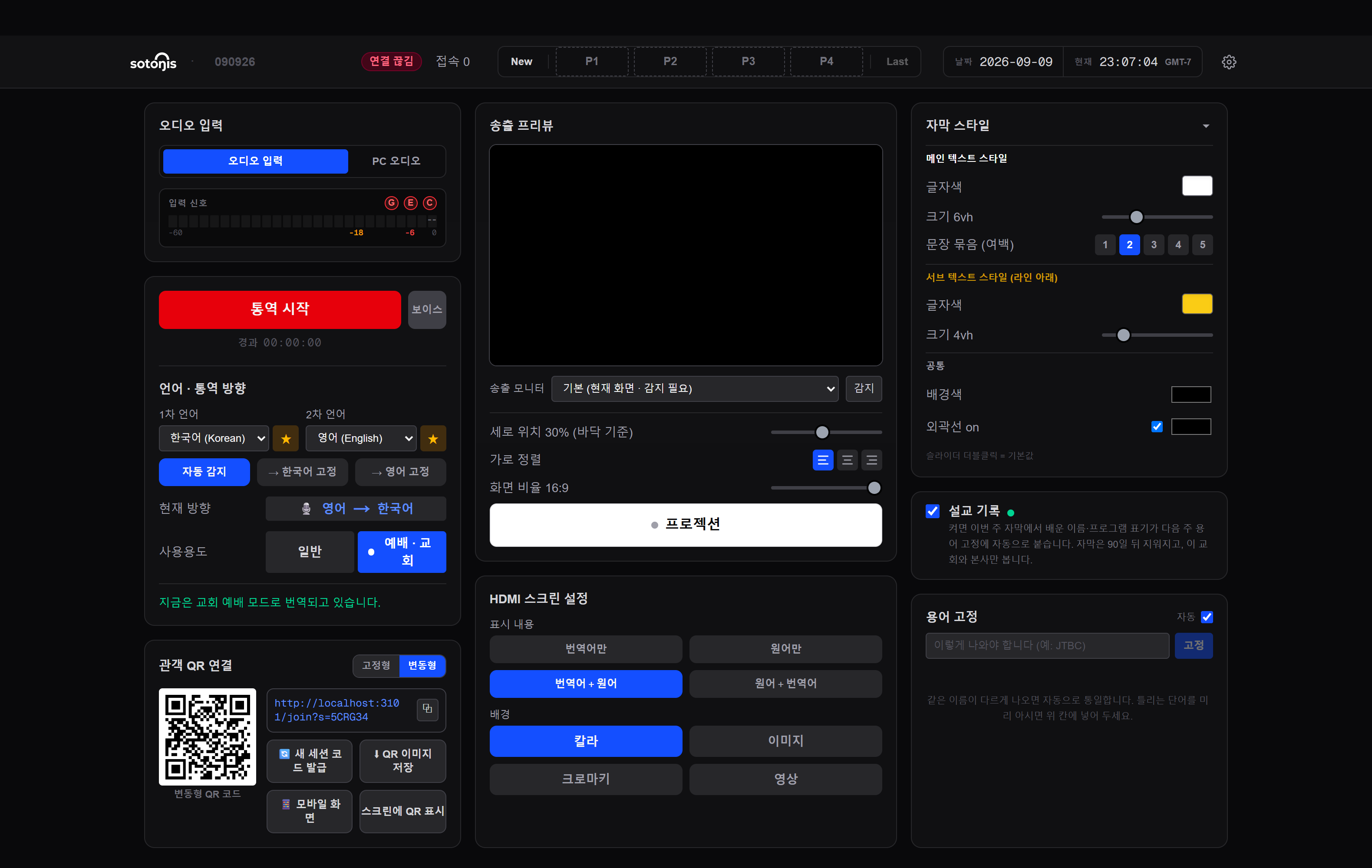
Sermon memory turns on with worship mode, and one checkbox in the console turns it off — when it's off, nothing is stored. Captions recorded while it's on are deleted after 90 days and are visible only to your church and our staff. They're used only to learn spellings — never for AI training or anything else. For sensitive moments like announcements or prayer requests, you can pause interpretation.
Reliability during service
If it stalls mid-service, it recovers on its own
If captions stall or a stray language slips in, the system catches it on its own and usually recovers in seconds. Anything it can't fix by itself — like captions not reaching phones — shows up right away as a notice bar across the top of the console, and our team gets alerted too.
And the part that matters most — if interpretation pauses, the service does not. Captions are a layer on top; the sermon and the music keep going.
Here's how to start
The big screen can wait. Start with phones this week.
Putting captions on the sanctuary screen is a big ask for a church. It doesn't have to be. Members scan a QR once and their own-language captions appear in their hand — no app, no login. No gear, no construction, ready this Sunday.
Members who speak Spanish, Chinese, Vietnamese, or Tagalog sit with you too. On their phone they pick their language from 76 — read it as captions and hear it through earphones — free accounts included. Nothing for the church to set up.
Print the same QR in the bulletin every week if you like. Widen it to the sanctuary screen whenever you're ready — the church sets the pace.
Try the member's phone screen →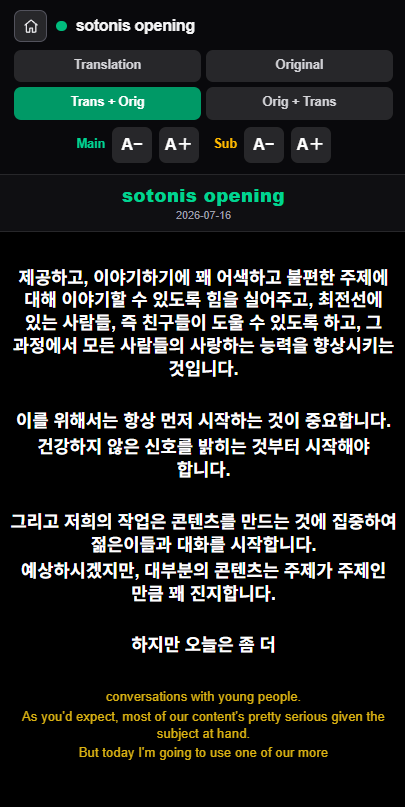
Dedicated PC · saved settings
You don't need a powerful PC
Just keep one dedicated PC for interpretation — it doesn't need to be powerful; a spare booth laptop is plenty. Caption look, interpretation direction, worship mode, projection and QR settings all save to your account in one slot, so when the volunteer changes or you open it on another PC, it starts exactly like last week. The setup never lives on one machine.
Sanctuary screen
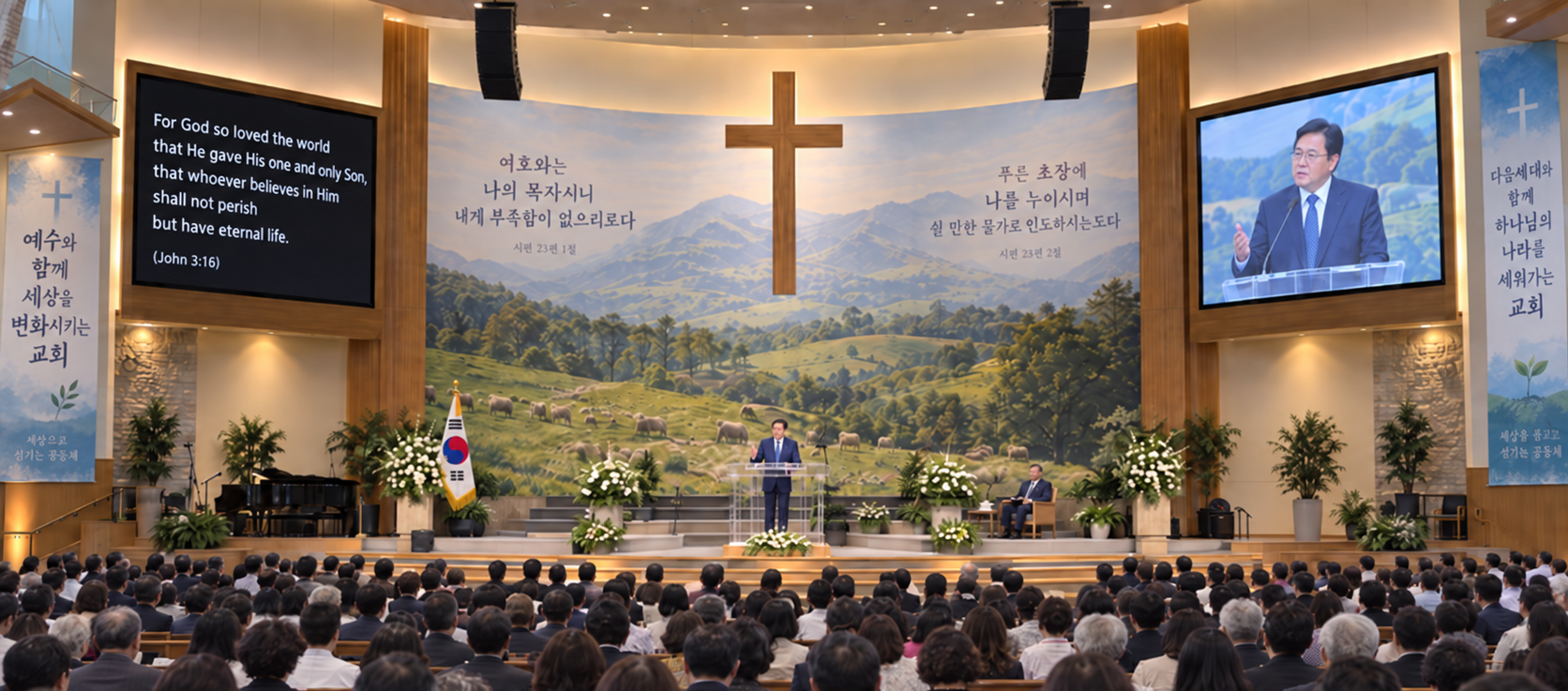
When you're ready, the whole congregation sees it together
Two screens? Give one to captions. Just one? Lay captions along the bottom of the existing feed. The wiring and gear are laid out — with photos — in the setup guide for media volunteers.
We're looking for churches to start with
We won't tell you hundreds of churches use it. We're building it by testing in real Korean-church services, and we're looking for churches to take the first step with. In Southern California we come to you and help with setup and rehearsal — if something goes wrong on Sunday morning, the person who answers the phone is here.
See it in your own Sunday service
If it's not for you, don't use it. Watch one Sunday first, then decide. We're in no rush to sell.